
Free Graphics
Free Graphics (sidebar , route freeGraphics) is a desktop canvas editor: add text / shapes / images, edit style or animation (in, emphasis, out), arrange clips on a timeline, and save presets. The page may show a banner that the tool is unfinished — treat unfinished export or host write-back as unavailable until the UI says otherwise.
What you will learn
- Open the canvas, layers, inspector, and timeline
- Add text and switch between Style and Animation
- Save and load presets
Still iterating
A banner may say the tool is not finished yet. This guide only documents controls visible in the stills and locale strings.
Desktop UI
Center canvas, left tools, right inspector (Style / Animation), bottom timeline.
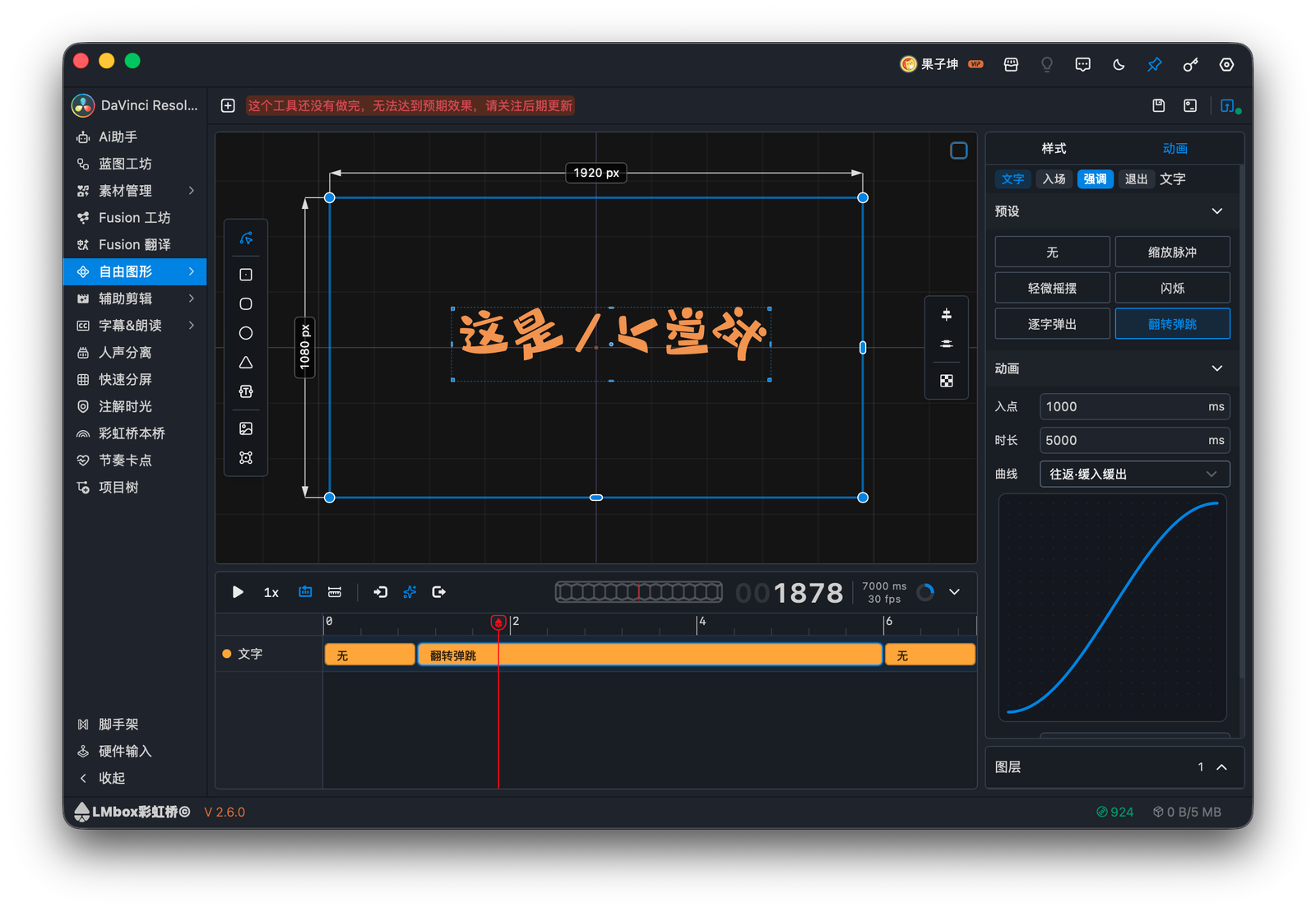
Figure: text on the canvas with an emphasis animation preset and easing curve.
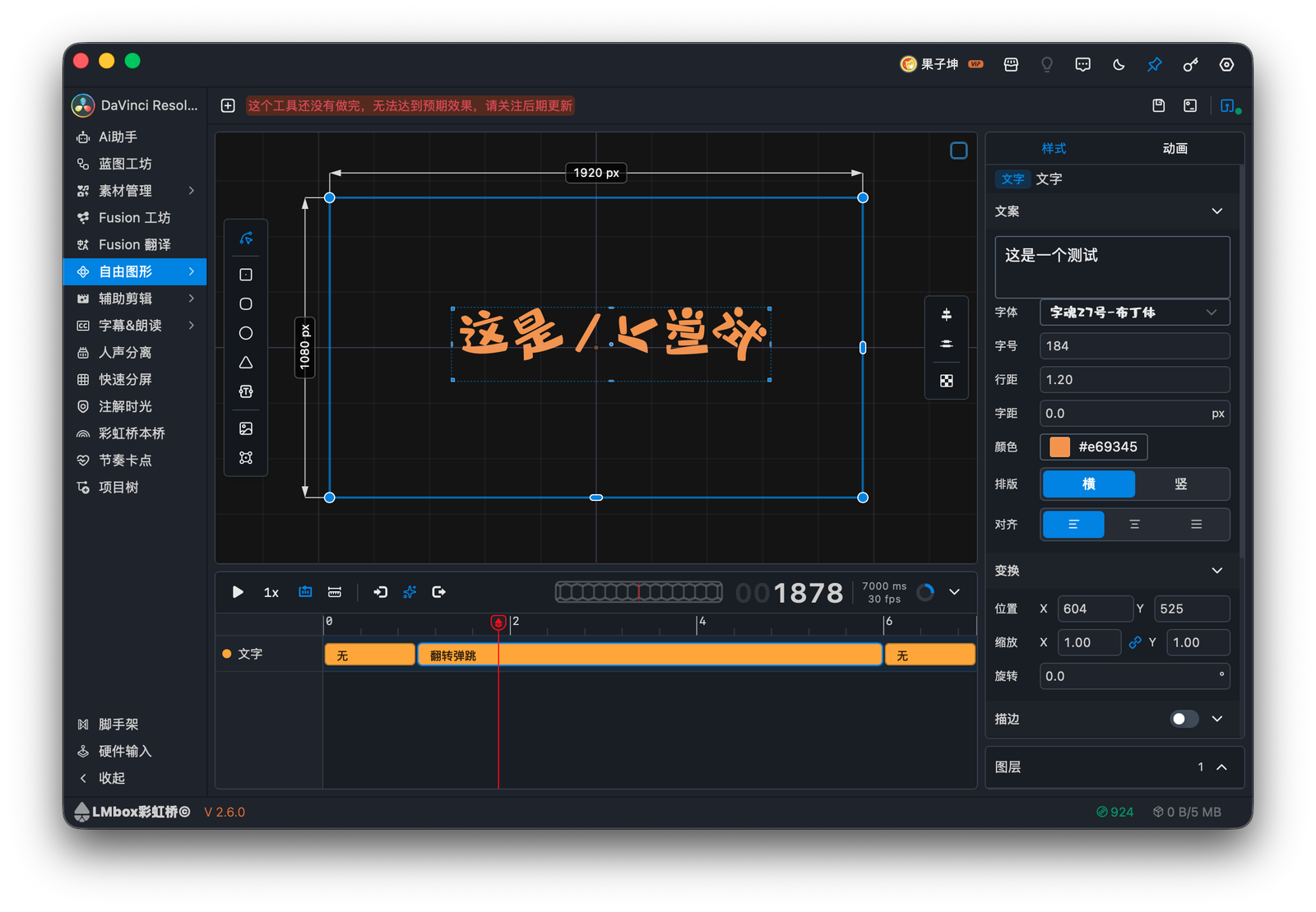
Figure: the Style tab for transform, stroke, and shadow.