
Appearance
Keychain
Keychain (open from the header key icon, route keychain) stores API profiles on this computer: AI model providers and translation services. Set a default, check the connection, pull the model list, and fill chat / image / audio / video blocks separately.
What you will learn
- Open Keychain from the header and add a provider
- Enter the API key and base URL, pull models, set default
- See which Lab tools consume these profiles
Entry
Header key icon. Many tools also let you pick Official cloud / Keychain in their own bars. Profile Data sync can align keychains across computers on the same account (off by default); see the desktop install guide.
Desktop UI
Provider list on the left; editor on the right (name, API key, models list base URL, Check connection / Pull models, plus modality sections).
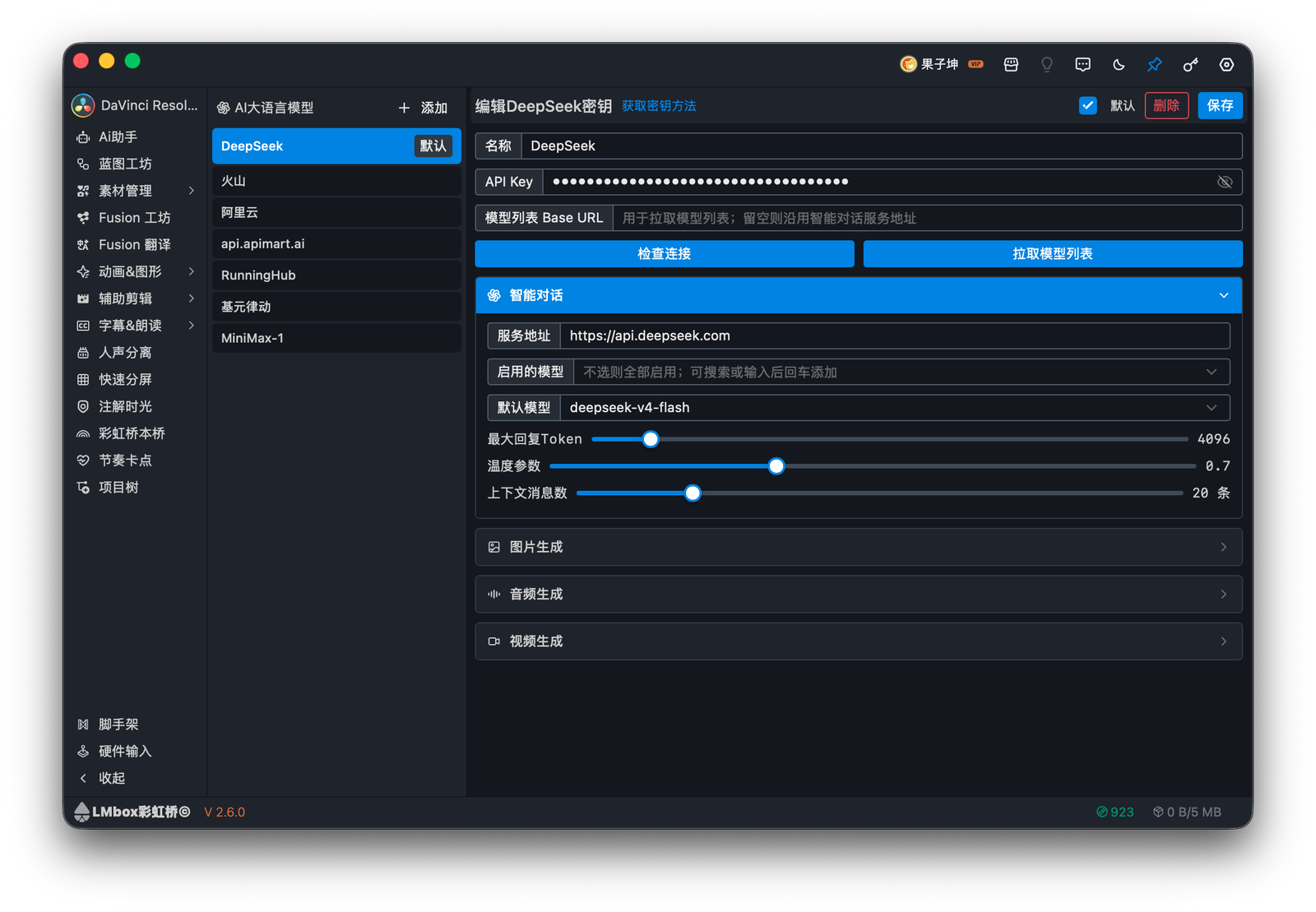
Figure: editing a provider profile with the chat block expanded.
Notes
- Do not paste API keys into public issue descriptions.
- Custom OpenAI-compatible URLs should end at
/v1. - Set as default is used when a tool does not pick a profile explicitly.